Friday, March 23, 2012

Friday, January 20, 2012
How to Partition Seagate External Hard Drive
Partitions are a useful way to separate different types of data on a
hard drive, including separating backups from data storage or
restricting access to certain files. A Seagate external hard drive is
pre-formatted with one NTFS partition, which may limit its usefulness
for some users. However, it can be divided into as many partitions as
you wish, with either Macintosh or Windows partition schemes and file
systems. Mac OSX users can read but not write to an NTFS partition. To
write to the partition with a Macintosh, the Seagate external hard drive
requires preparation with Macintosh Disk Utility, while Windows Disk
Management is used to create partitions in the Windows operating system
environment.
Friday, January 6, 2012
Nokia 1 Windows 8 Slick Tablet Concept – Is it the Nokia’s next boost up!
we have already seen both the Nokia N9 as well as the Nokia Lumia 800 and both of the handsets are brought up with a slick design along with an impressive touchy look but you must have a glance at the Nokia 1 tablet concept which has been made up by ‘Yronimus’. Yronimus is a designer from Deviant Art and by taking some of the clues from Nokia Lumia 800 he has impressed it into a larger screen. It just looks great and this concept is undoubtedly one of the best among the good looking tablets that we’ve ever seen if not the best. As per the rumored information Nokia is planning to come out with a Windows 8 tablet in the present year 2012. This tablet resembles the Nokia Lumia 800 design but comparatively it is much slimmer and it keeps the hold of the monoblock design. You can have a glance at its further information ahead.

The Nokia 1 concept tablet by Yronimus and the device has been inspired by the Nokia Lumia 800 and easily pass off as the Nokia N9 too but for a change its a larger version. So what should we expect as the configurations looking at for the Nokia 1 concept tablet? As a starter the device would bear an 11.6” AMOLED full touch display having 1280 × 800 pixels of display resolution and it will be equipped with the dual-cameras as a 5 Megapixel primary camera with full 1080p HD Video Recording at 30 FPS. It will also carry a 2 megapixel front facing secondary camera which will facilitate you for the video conferencing.

In addition this tab will be stuffed with a 2GB of RAM and will be coming either in a 32GB storage version or a 64GB storage capacity. This concept device will feature the Windows 8 ARM Edition Operating System and it will be empowered with a 7500 mAH Battery to ensure you a continuous huge battery backup without any interruption. It is 8.5mm thin and measures for a dimension of 187.6 x 293 x 8.5mm and weighing 580 grams. So, what about your thought? Is it credible? We can just say that if this innovated device looks anything like this then surely it is going to be a winner.
Thursday, January 5, 2012
Windows 8 Features & Release Date
Windows, being one of the most used OS, brings great challenges for Microsoft to keep its users impressed in the next version of Windows.
Although Windows 7 has done exceptionally well since its release, Microsoft has been constantly working to make the next version of Windows a better one by further improving upon the existing features, and have added new impressive Windows 8 features along with a stunning UI.
Microsoft released the early version of Windows 8 on a prototype tablet last week. Those of you who would like to taste and experience the all new Windows 8, you can download the Developer Preview, which is currently in pre-beta version. The developer version shows off the current stage of the OS. It is available for free download, and comes in three different packages:
- (1) 64-bit version – Only the OS
- (2) 32-bit version – Only the OS
- (3) 64-bit version with developer tools
Windows 8 Features
Windows 8 offers a number of new Windows 8 features from its all new UI to Windows App Store and improvised security features. Here’s a list of new features and improvements which will arrive with Windows 8:
Support for both x86 PCs and ARM tablets
Windows 8 is the first edition of Windows which will work on both ARM based tablets and traditional x86 (as well as x32 and x64) PCs based on ARM processors from Intel and AMD.
“Support for ARM-based chipsets, touch, and sensors makes Windows 8 work beautifully on your choice of a full spectrum of devices, such as 10-inch slates with all-day battery life, ultra-lightweight laptops, and powerful all-in-ones with 27-inch high-definition screens,” Microsoft contends, in a Windows 8 Guide distributed with Windows Developer Preview
Windows To Go
The “Windows To Go” seems to be an exciting feature that basically allows Windows 8 to boot from a USB device (called as Live USB), including user’s programs, settings and files. The feature is designed to work with both USB 2.0 and USB 3.0, and on both legacy NIOS and UDFI firmware. However, Microsoft says that a user will not be able to “Hibernate” with this feature.
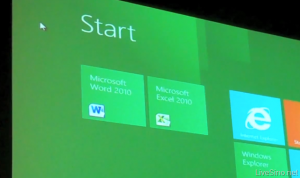 “Windows To Go is a new feature in Windows 8 that enables enterprise administrators to create USB drives containing complete, managed Windows images that users can use to boot and run Windows on any Windows 7 or Windows 8 capable computer. Windows To Go makes it possible for employees to use a managed device whether they work from home, a client office or in a free seating environment. This session will discuss Windows To Go, its hardware requirements and building compatible and complementary software.”
Another interesting thing about this feature is that, if the USB drive is removed, Windows will automatically freeze, but will continue to operate if the USB drive is inserted back in the next 60 seconds after removal.
Windows Store
To compete with Apple, Windows has confirmed the introduction of a Windows Store, similar to Mac App Store, which allows users to browse through Windows applications, while developers can publish their Metro-style apps on Windows 8 devices.
Few days back, Microsoft gave a strategic view of its app store, and gave a quick demo on how it works. Microsoft revealed that the Windows App Store will be the only place where users can access the Metro-styled apps. Here’s a quick demo that shows how users will be able to buy their apps:
Windows 8 User Interface
Speaking about the UI, Windows 8 certainly has got a mind blowing interactive UI, which has been extensively redesigned to a “Metro-style” design, which shows the most important information to you, embodies simplicity, and gives you full control over it. The UI is designed to provide a fluid and intuitive interaction and navigation with touch, or a mouse and keyboard.
Julie Larson-Green, Corporate Vice President, Windows who stated: “Everything that’s great about Windows 7, is better in Windows 8,” gave a quick hands on look at the Windows 8 user-interface. Here are some of the screenshots she released:
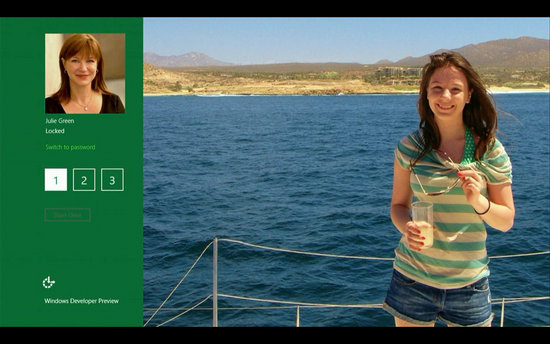
Windows Logon Screen – Unlike the traditional way of entering a password to unlock the screen, Windows 8 can be unlocked by just tapping on the right areas of the screen.
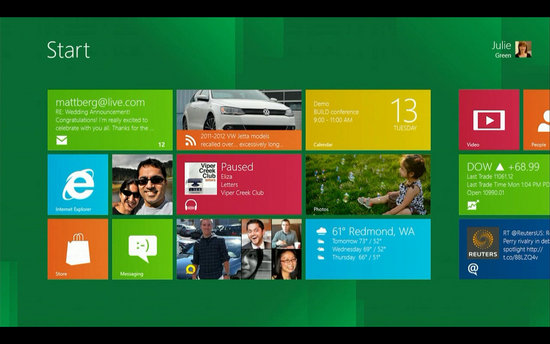
Windows 8 Start Screen – The Start screen is yet another impressive UI. The screen basically groups all your applications together, which you can easily drag and drop, or add new things.
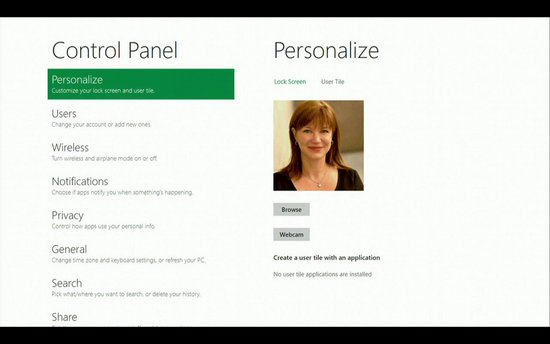
Control Panel
Playing Videos in Windows 8
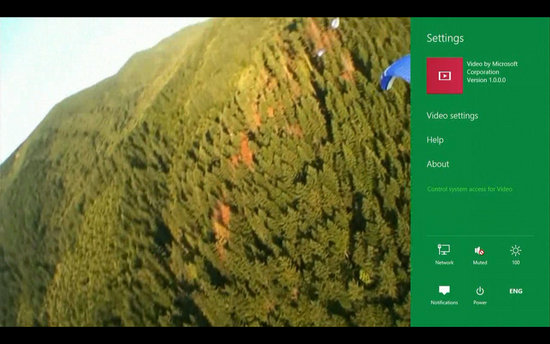
Windows 8 Task Manager
Improved Windows Defender
The Windows Defender which was first released with Windows Vista is getting a security upgrade with the upcoming Windows 8. This would probably edge-our third-party antivirus and anti-malware programs. Windows Defender will become a full-fledged anti-malware solution for Windows 8. This will include protection against all types of malware such as virus, worms, trojans and rootkits.
In addition to that, Windows Defender will provide real-time detection and protection from malware threats using a file system filter, and will interface with Windows secured boot, which is another security feature.
Internet Explorer 10
The developer preview of Windows 8 comes with a Metro version of Internet Explore (IE) 10. Since it is a preview version, it does not support any browser plugins and extension – including Adobe Flash and Microsoft Silverlight. However, it will feature full screen browsing mode by default, implements several new HTML5 capabilities, turbocharges HTML5 performance, and adds some security options for Web applications.
Windows 8 Mock Illustration (You Can Embed This)
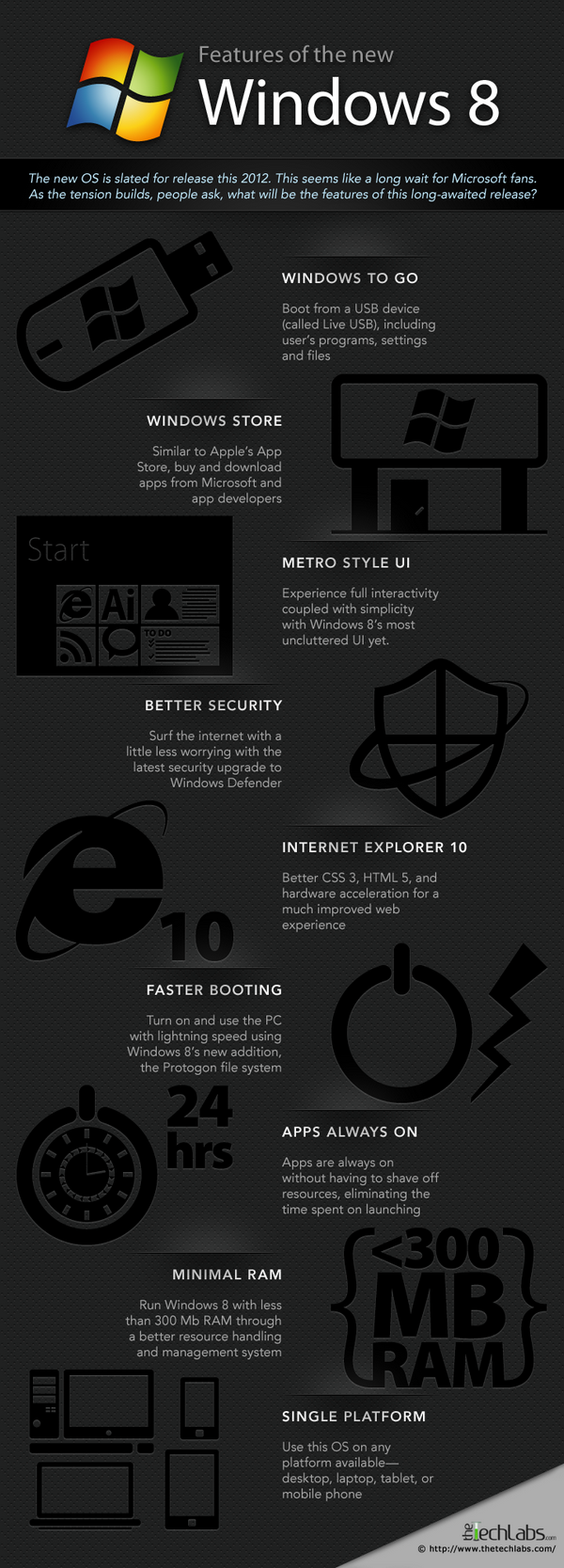
You may use this infographic on your site as long as you do
not remove the link back to the post. Here is the embed code:
Windows 8 Minimum System Requirements
It is reported that Windows 8 is expected to have the same system requirements as Windows 7, and will run on existing PCs/laptops that run Windows 7. Here are the following minimum system requirements to run Windows 8:
Processor: 1GHz or faster 32-bit or 64-bit processor
RAM: 1GB (32-bit) or 2GB (64-bit)
HD Space: 16GB for 32-bit (or 20GB for 64-bit)
Windows 8 Release Date
We can expect Windows 8 to be launched sometime in mid-late 2012, however, it’s too early to predict the Windows 8 release date, since it is still under development. Nevertheless, the only question that haunts each and every one of us – Will Windows 8 win the battle against Apple which it had lost several years back?
Incredible Gadgets You Would Kill For – 20 Examples
Gadgets are more unusual and more clever than normal technological objects and that makes them gain popularity. These wonderful gizmos ease our daily routine and keep us in contact with the innovative movement, making sure we don’t get stuck in the past. But of course, in the world of gadgets there are also some devices that take it a little bit far, making us gaze at them with hope that we will get our hands on them sooner.
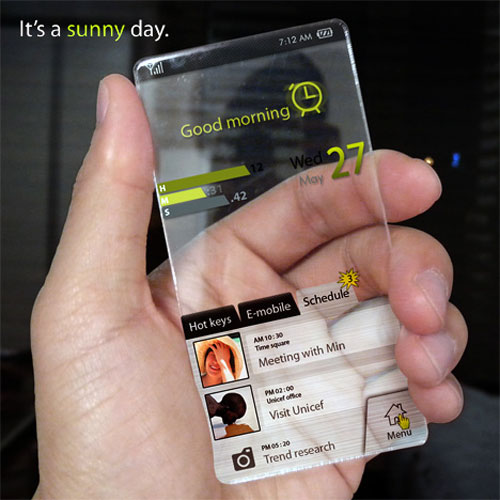
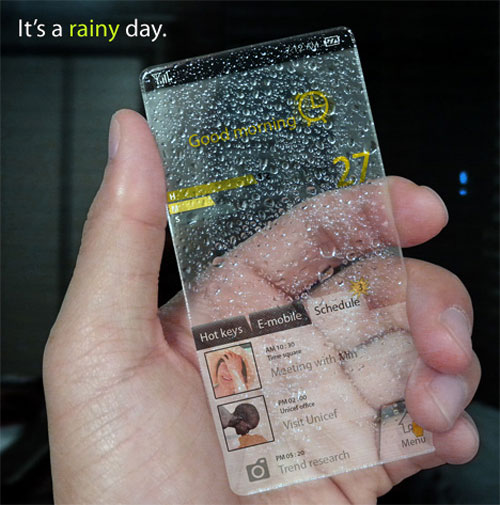
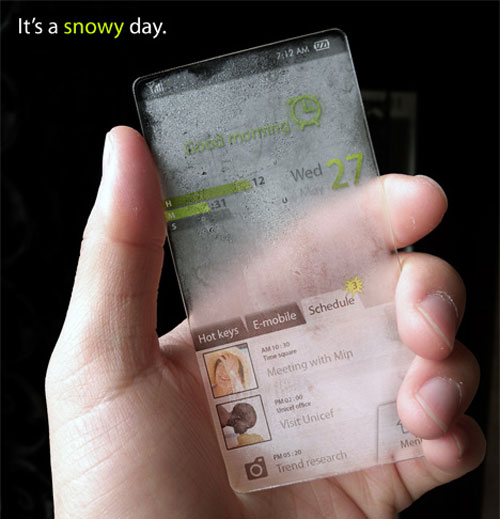
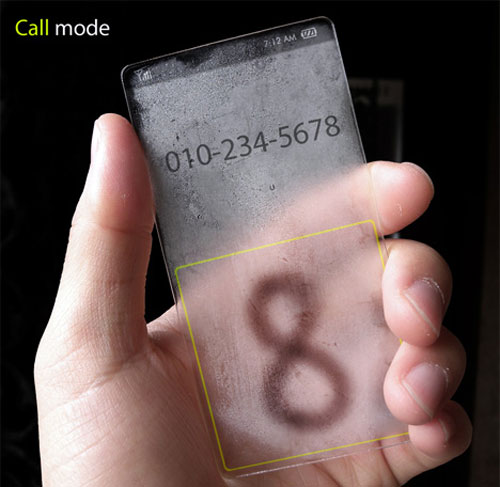
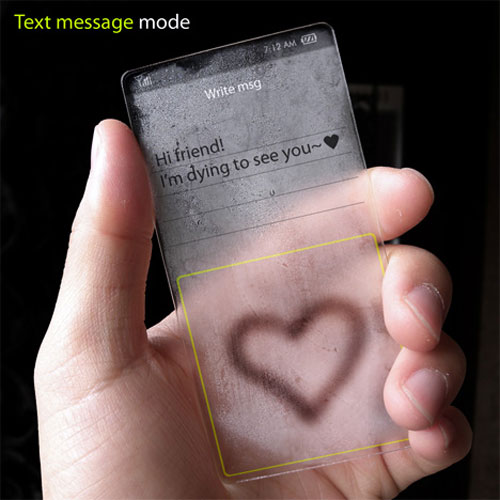
Window phone concept
Is it a window, is it a phone? No. Actually, it’s Window phone and this is the part where you are saying “Whaaat? What are you talking about?”. The phone is actually a concept with extraordinary features. Surely if this could be actually put into production, it would set a new standard for the term “cool”.
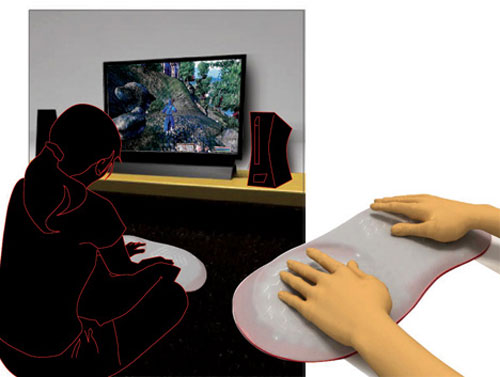
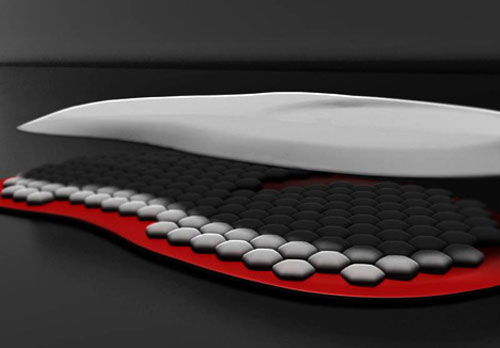
AFGT Gaming Device
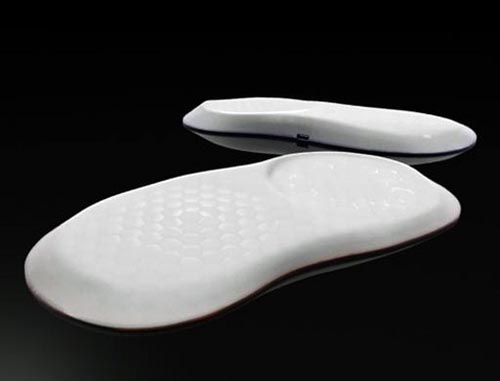
This gadget seems to be the holy grail of the gaming world. Its interesting feature is the tactile feedback that is used to enhance the gaming experience. This very interesting gadget is made out of touch sensitive silicon, to be more specific, silicon air pockets, each with a pressure generator.
Sound Mug Speaker
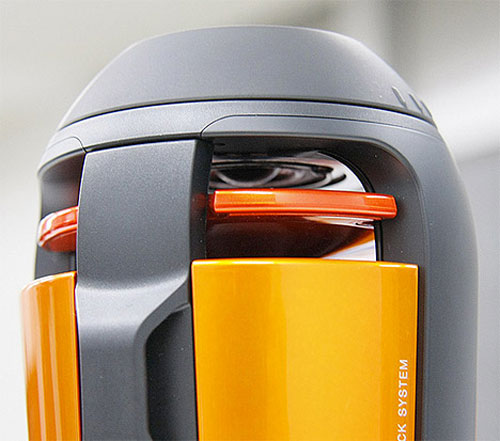
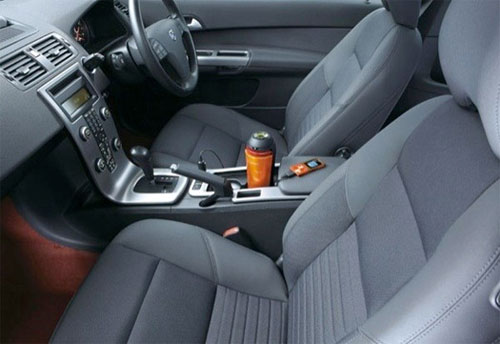
This particular device could look a little bit strange at a first impression but actually it’s a damn cool thing. The crazy looking speaker can fit in your car’s cupholder and don’t worry about batteries, the gadget is powered by car’s accessory socket.
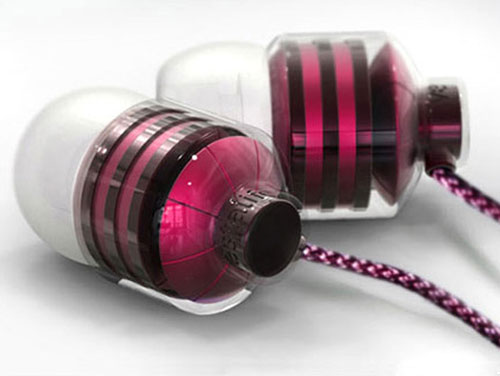
Vestalife BumbleBee Earbuds
If you’re a guy, it’s unlikely that you will be interested in these little pink earbuds but as a girl, you’ll find them pretty glamy.
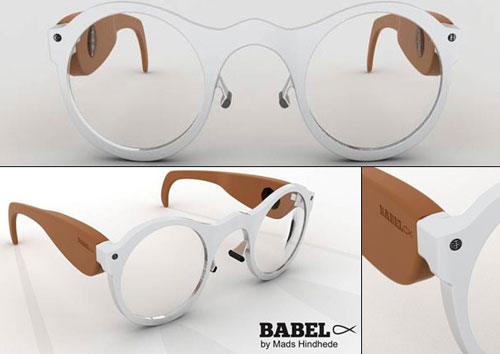
Babelfisk
In case you’re getting lazy in classes these wonderful glasses will give you some help. They have two microphones that can be directed to where someone is speaking and you have text and audio recorded into a flash drive.
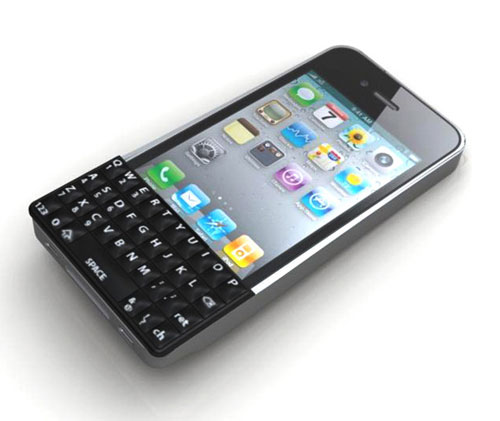
QWERTY Keyboard For iPhone
Surely, this sounds like a dream come true. The Iphone is everywhere and probably a lot of you have it encountered the typing problem. With this tiny little qwerty keyboard you can type fast and accurately.
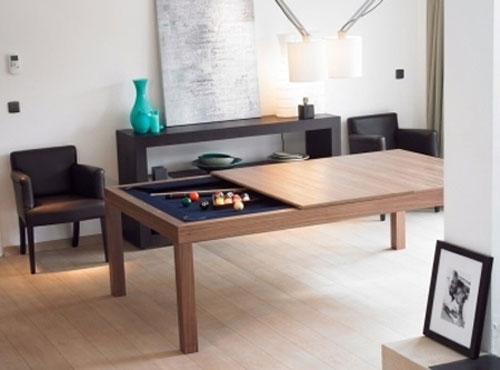
Sliding Pooltable
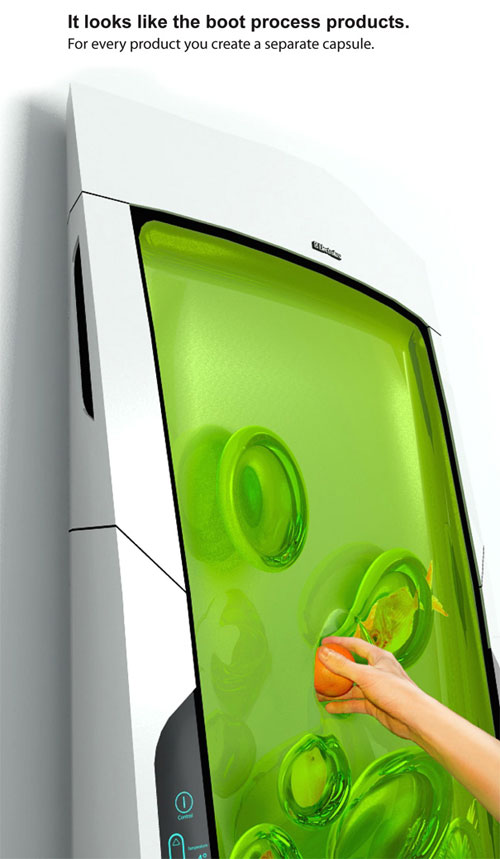
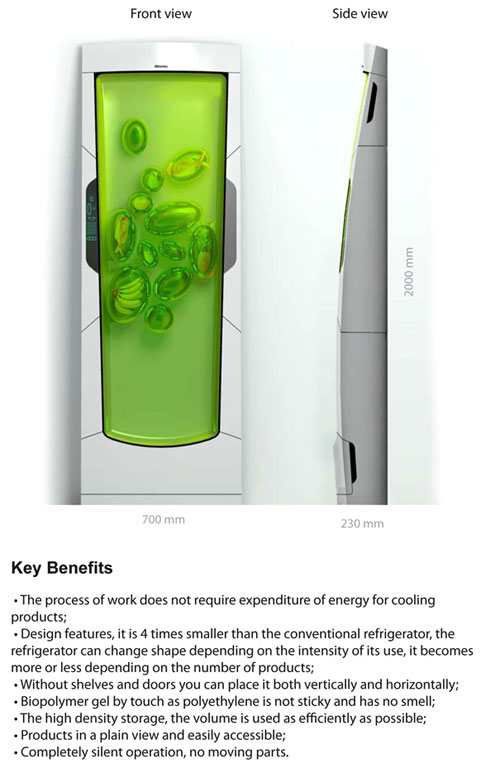
Bio Robot Refrigerator
The Bio Robot fridge cools biopolymer gel through luminescence. It might look stinky and sticky but it’s actually an odorless gel that envelopes the food.
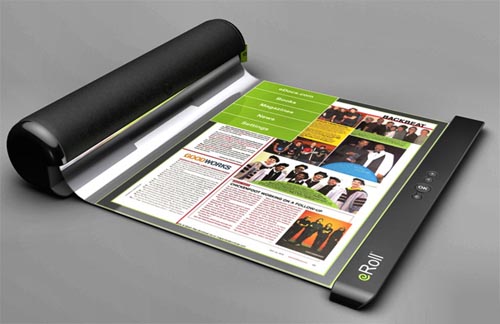
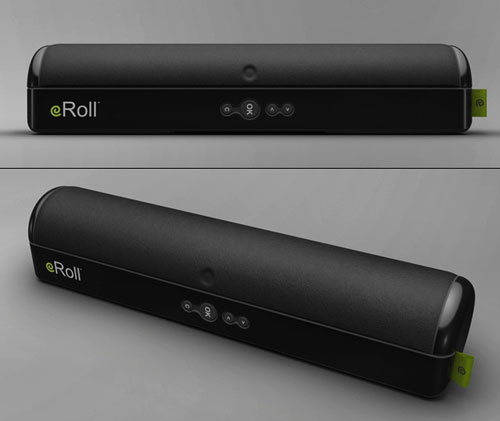
eRoll
eRoll could be the future of e-reading, along with iPad and another gadget that will be presented in this article. If you don’t want it to read ebooks on it, you can use it as a self defense weapon.
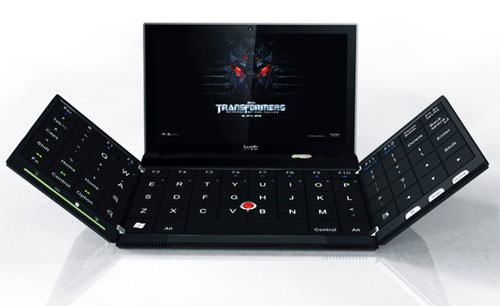
Folding-out Laptop
The Transformers wallpaper on this laptop says it all. This laptop transforms into a mega-laptop as soon as you unfold its keyboard.
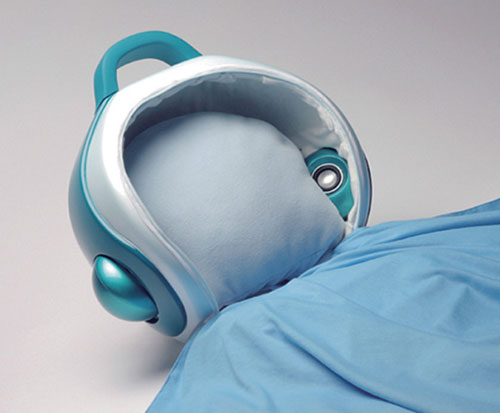
MU SPACE
Listening music in bed with your headbuds in your ears can be really annoying and it appears that Yuan-Hao Hsu and Lin Tzu Hsuan have figured that one out. The result consists in a mp3 player pillow that will help you relax when taking your nap.
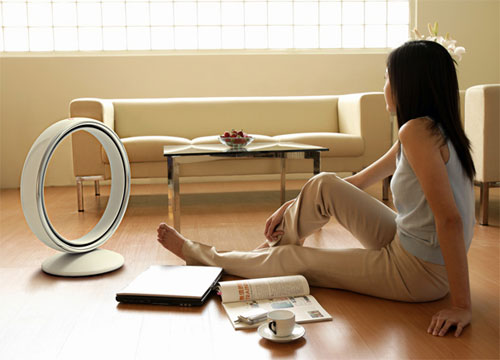
Wind circle
This will surely start a lot of discussions with your house guests but besides that it will also cool the air in the room. Yeah, it does that too…
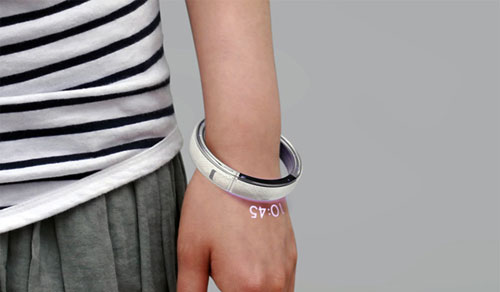
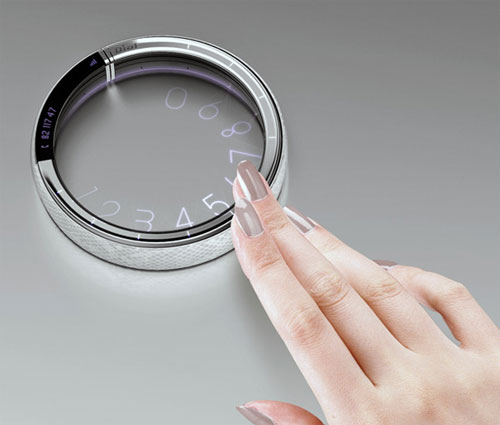
Bracelet phone
Concept phones are becoming very popular these days. The stranger their shape is, the more popular they get. Probably that’s why this bracelet phone got so many fans or because it has a round dialer on it, like in old land phones.
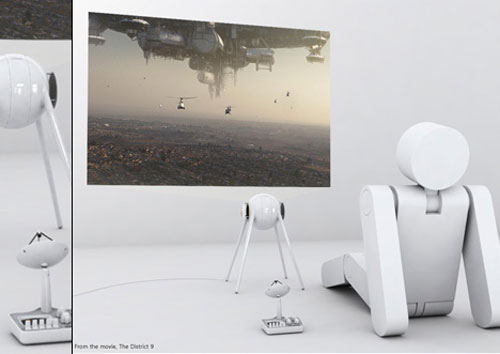
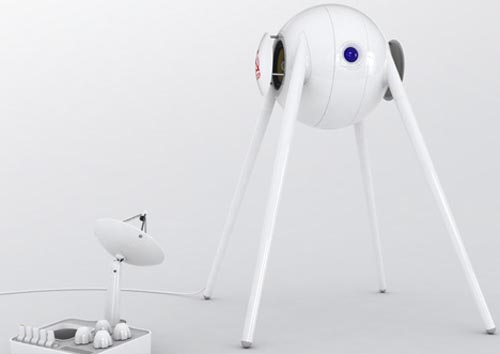
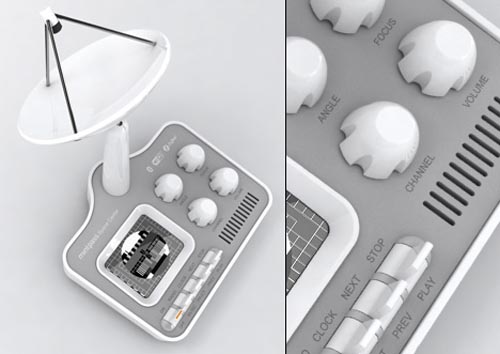
Mint Sputnik projector
Portable Interactive Display
This device should be interesting especially for architects or industrial designers because of its interesting features. Its software can take CAD drawings and display them on the surface where they can be manipulated easily.
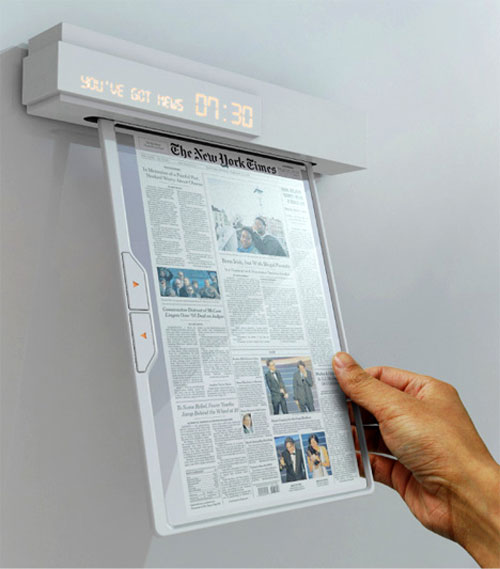
Newspaper of the future
Nowadays people try to find alternatives to using paper and they come up with interesting solutions. We already saw the eRoll in this article and tablets like iPad are made in a lot of variations today but Seon-Keun Park and Byung-Min Woo came with a different idea.
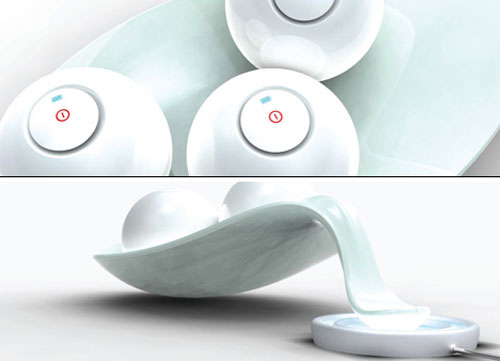
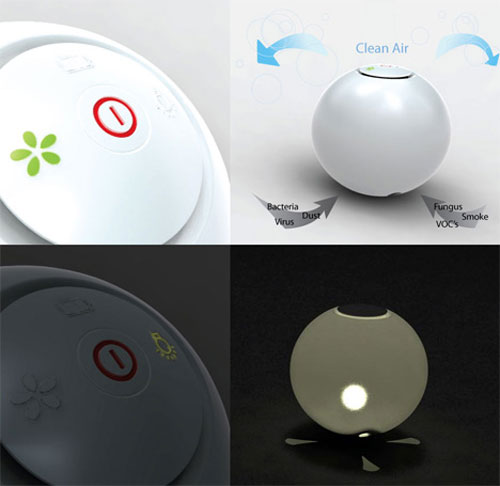
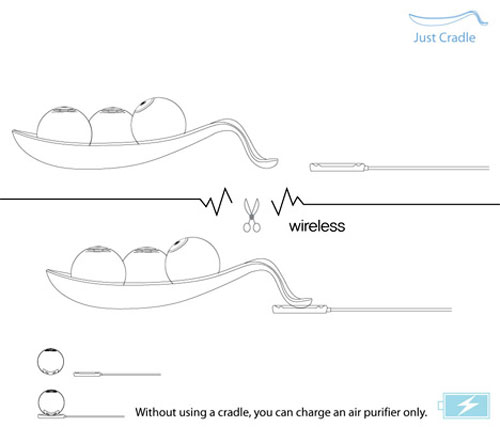
Air Clean Balls
Enough with the serious talking, let’s talk about balls (…?!). They have a funny name but an interesting feature, they can clean the air in the room by using a form of ionization with a photocatalyst complex sterilizing. It is interesting that it doesn’t freshen the air as you would probably think, but it actually cleans it, removing bacterias and viruses too, besides strange odors.
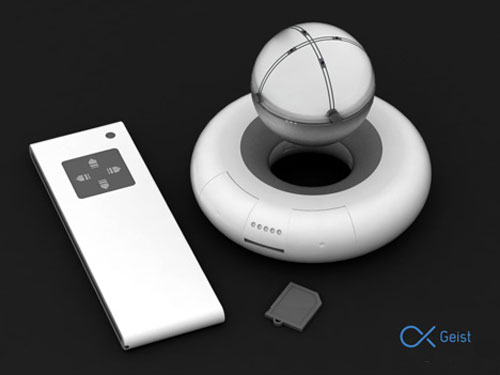
Geist Projector
We’ll keep on going with the balls issue but this time it’s about a projector. The mobility of the projected image is given by the levitating ball that sustains itself in the air with the help of electromagnetism.
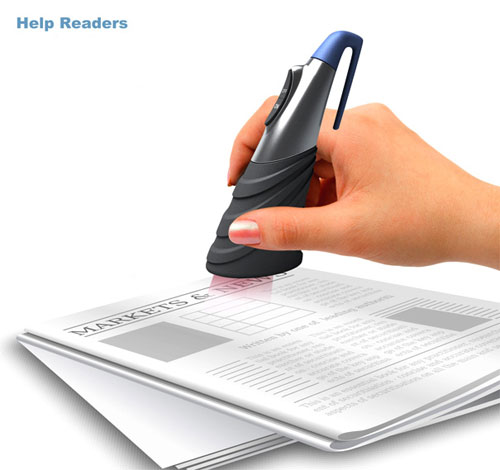
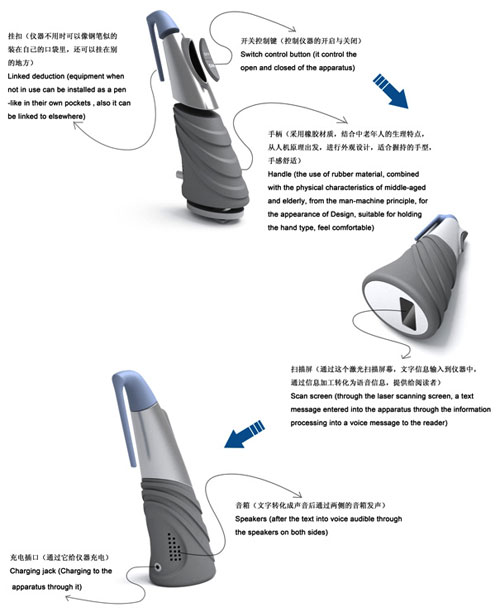
Help Readers device
This device converts text to audio, helping you in case you have eye problems or because you’re infected with the laziness virus. in
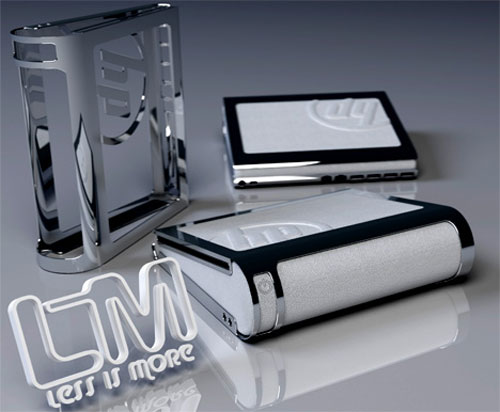
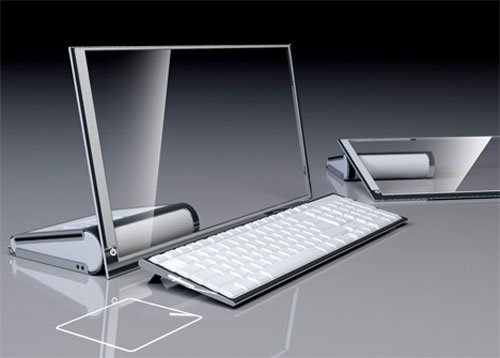
HP LIM Glass computer
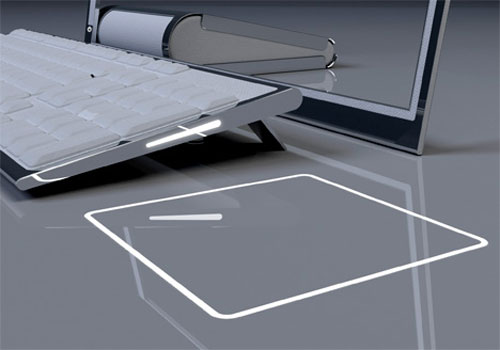
The HP LiM (Less is More) concept is set to feature a 19″ transparent touch OLED screen along with a wireless keyboard. The touch screen slides down to create a more ergonomic touch experience and easy navigation.
15 Must Have Free Softwares For A Newly Bought/Formatted Computer
In my recent post I have written about “5 Things Worth Considering Before Buying A New Computer” now in the series I like to add one more on the most useful apps every one should install after buying/formatting a new computer.In this post I have considered many areas in which a person can use his/her computer.

1)First Things First:
Once you have a brand new Operating system the first thing you have to do is to install a ultrafast browser so that you can download the remaining 9 softwares easily with lightening speeds.In present world there are many browsers competing with each other in performance but anyway every one cant be the best.So the browser I recommend is Mozilla Firefox. The reason for me choosing Firefox is we can make our browsing life easy with the tons of addons available for firefox. It has least probability of getting crashed.If you have approached me few months back I would have suggested you Google Chrome but I have experienced and experiencing many problems with chrome with major problem is it gets crashed very frequently.Finally I recommend Mozilla Firefox.
2)Safety Next:
Once you have downloaded and installed firefox its time you start browsing all over the web so there may be many malware programs and viruses which may enter into your new system.So you should kill them before you becoming the victim to them.So you need to install a antivirus.I prefer to install AVG antivirus .Since I have used it and got no problem.
3)Need Entertainment:
Well now your browsing life is good enough rite.If you are a music lover or like to play some music in the background while browsing then you need to install a player which can play almost all the formats of audio and video files.I recommend VLC media player.It can play almost every format of Audio/Video files.
4)Don’t Forget Your friends:
To be in touch with your friends you need an IM client which can allows to login and chat with as many social networks and mail accounts as possible.So u need to install one ultimate software using which you can access all of your accounts in Gmail,Facebook ,Twitter, LinkedIn,MySpace,Yahoo,Windows mail,Jabber and custom IMAP and POP accounts.
5)Sweet Memories:
In this digital world every one captures the most beautiful moments of their lives and stores them in the form of images and videos.So you need a brand new image viewer to view your special moments in a special way.So you need to download Picasa image viewer which has an awesome interface while displaying images and it is ultra fast in opening images.It provides you with a transparent background while showing you the images.
6)Time to Work:
Now a days every EBook and document is being released and available in .pdf format so you need a document reader which allows you read all pdf files with good loading speeds.I prefer Adobe’s Adobe Reader.They have recently released a new version 10.0 too .
7)Edit Files:
Once you start working you need to write many files than reading them.So you need a file editor through which you can edit ,create files and even slides,charts,tables etc..So here is a free software by which you can avail all the features and in contrast to MS office it is free.That is Open Office.

8)Image Editor:
If you interested in editing images then here is one more free softwares which allows you do all you want to with images.Gimp image editor which you can download using the below link.
9)Speed Up your Downloads:
To speed up your downloads and save your time by not letting you to wait for long times for completing downloads and increasing the efficiency and avoiding the problems of net disconnections and power failures.You need a download manager with resume capability .Free download manager helps you a lot in this issue.
10)Check The Health Of Your PC:
By now you may be using your system for many purposes and so there may be many temporary files created and many faulty registry files have born.So you need to clean all of them and make your PC healthy once again.So you require Ccleaner.Download it here.

11)Blogger:
If you are interested in writing in blogs ,for effective and efficient writing you need to have a offline writer which helps you to customize your post in all ways and add any type of content to your post.So you need Windows Live writer which is one of the famous writer many bloggers use.It comes with Windows live essentials by Microsoft.
12)Save Memory:
If you have many small files and you need to transfer them to some one through internet .Then uploading each and every one is hectic task so you should make all of them as a file and can transfer it once by zipping it using Winrar etc..It no only makes all files into one but also compresses them and one receiving it can extract them.
13)Share Big Files:
Sharing small is ok but how to share big files online easily.Then comes into picture DropBox which does all its work in the background with out disturbing you work.You just need to drag the files in to the default folder of the dropbox and every thing will be done for you by dropbox itself.Download and share files with your friends.

14)Reader:
Are are a good reader of many blogs or websites and you like be up to date with all the websites you like then this offline app helps you to fulfill your wish.FeedDemon a offline blog reader.You just need to give it your favorite website url and it finds the feed and subscribes to the feed and let you know when ever a update arrives and you can read the update directly in it.
15)Left to You :
Now its time to share your views about the softwares one must have.do share your favorites.The best will be posted in this post
Subscribe to:
Comments (Atom)